
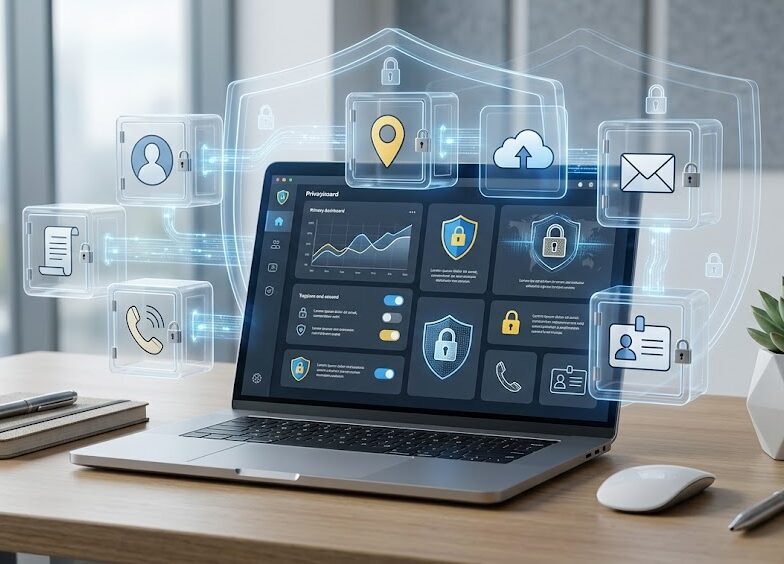
Your personal data is more valuable than you may think.
Every time you create an account, install an application, upload a document, share a photograph, complete an online form, or use a digital service, you may provide information that identifies you or reveals details about your life.
This information may include your name, phone number, email address, home address, date of birth, location, identity documents, financial details, photographs, workplace, family information, and online behavior.
A single piece of information may not appear dangerous. However, when several details are combined, they can help attackers create convincing scams, recover accounts, impersonate you, or commit identity fraud.
Protecting personal data is therefore an important part of cybersecurity and digital safety.
What is personal data?
Personal data is information that can identify a person directly or indirectly.
Examples include:
- Full name.
- Phone number.
- Email address.
- Home address.
- Date of birth.
- National identification details.
- Passport information.
- Bank and payment details.
- Location information.
- Photographs and videos.
- Workplace information.
- Social media profiles.
- Device identifiers.
- IP address.
- Account usernames.
- Online activity.
- Voice recordings.
- Biometric data.
Some types of information are more sensitive than others.
Examples of sensitive data may include:
- Identification documents.
- Banking information.
- Medical information.
- Biometric information.
- Account credentials.
- Private communications.
- Confidential business documents.
This information should receive stronger protection because exposure may lead to serious financial, privacy, or identity risks.
Your digital identity
Your digital identity is the collection of information connected to you across websites, applications, devices, and online services.
It may include:
- Your email accounts.
- Social media profiles.
- Online purchases.
- Cloud files.
- Search activity.
- Photographs.
- Location history.
- Device information.
- Work accounts.
- Public records.
- Data collected by applications.
Attackers may use information from several sources to build a detailed profile.
For example, a public social media account may reveal your workplace, while another website exposes your email address, and a leaked database contains an old password.
When combined, this information may be used to create a targeted phishing attack or account-recovery attempt.
Why exposed personal data can be dangerous
Personal data can be used for several harmful purposes.
Attackers may use it to:
- Guess security questions.
- Reset account passwords.
- Create fake accounts.
- Impersonate you.
- Apply for services in your name.
- Send targeted phishing messages.
- Commit financial fraud.
- Scam your contacts.
- Access business systems.
- Create convincing fake documents.
- Blackmail or threaten victims.
- Build detailed behavioral profiles.
The risk does not always appear immediately.
Information shared today may be used months or years later, especially if it remains publicly available.
How small details become useful to attackers
A single public detail may seem harmless.
However, imagine that an attacker knows:
- Your full name.
- Your employer.
- Your manager’s name.
- Your email address.
- Your phone number.
- A recent business event you attended.
The attacker could send a message that appears to come from your manager or company support team.
Because the message includes real information, it may appear trustworthy.
This is why protecting personal data is not only about keeping passport or banking information private. Everyday details can also support social engineering attacks.
Common ways personal data is exposed
Personal information may be exposed through intentional sharing, unsafe settings, compromised accounts, or mistakes.
Common examples include:
- Public social media profiles.
- Weak privacy settings.
- Oversharing personal information.
- Fake forms and websites.
- Data breaches.
- Lost or stolen devices.
- Public cloud-sharing links.
- Unnecessary application permissions.
- Phishing messages.
- Unsecured backups.
- Shared passwords.
- Public Wi-Fi.
- Old accounts that are no longer monitored.
- Photographs containing documents or badges.
Understanding how data is exposed helps users reduce the risk.
Oversharing on social media
Social media posts may reveal more than intended.
Information commonly exposed includes:
- Full date of birth.
- Home location.
- Workplace.
- Family relationships.
- Travel plans.
- Daily routine.
- School information.
- Personal phone number.
- Email address.
- Photographs of work badges.
- Boarding passes.
- Identity documents.
- Vehicle registration plates.
A photograph may also show sensitive information in the background, such as:
- Computer screens.
- Documents.
- Access cards.
- Office layouts.
- Addresses.
- Customer information.
- Security systems.
Before publishing a photograph, review the entire image, not only the main subject.
Real-time location sharing
Location information can reveal where you live, work, study, travel, and spend time.
Posting live travel updates may also show that your home or workplace is unattended.
Applications may collect location through:
- GPS.
- Wi-Fi networks.
- Bluetooth.
- Photograph metadata.
- Check-ins.
- Device permissions.
Disable location access for applications that do not genuinely need it.
Consider sharing travel photographs after leaving the location rather than while you are still there.
Application permissions
Mobile and desktop applications may request access to:
- Camera.
- Microphone.
- Contacts.
- Location.
- Photographs.
- Files.
- Calendar.
- Notifications.
- Bluetooth.
- Call history.
- Messages.
Some permissions are necessary for the application to work. Others may be unnecessary.
Before approving a permission, ask:
- Why does the application need this access?
- Does the permission match the application’s purpose?
- Can the permission be limited?
- Does access need to remain enabled all the time?
- Is the application from a trusted source?
Review application permissions regularly and remove access that is no longer required.
Be careful with online forms
Online forms may request personal information for registrations, surveys, competitions, job applications, deliveries, or government services.
Before submitting information, check:
- Whether the website is legitimate.
- Whether the domain name is correct.
- Why the information is required.
- Whether the form requests unnecessary details.
- How the organization says it will use the information.
- Whether the connection is secure.
- Whether you reached the form through a suspicious message.
A simple giveaway should not normally require passport details, banking credentials, or account passwords.
Do not provide more information than is necessary.
Uploading identity documents
Some legitimate services may require identity verification.
However, identity documents are highly sensitive.
Before uploading an ID card or passport:
- Confirm that the organization is legitimate.
- Open the official website directly.
- Check why the document is required.
- Review how the information will be stored.
- Avoid sending documents through informal messaging platforms.
- Do not upload documents to unknown forms.
- Remove unnecessary copies afterward.
- Store personal copies securely.
Where appropriate, consider adding a visible note to the copy explaining the intended purpose and date, provided the receiving organization allows this.
Never post identity documents publicly.
Protect photographs of documents
Photographs of documents may contain:
- Full names.
- Identification numbers.
- Signatures.
- Dates of birth.
- Addresses.
- Barcodes.
- QR codes.
- Account numbers.
- Document expiry dates.
Even a partially visible document may provide valuable information.
Store these images in protected locations and avoid keeping unnecessary copies in open photo galleries or shared cloud folders.
Photograph metadata
Digital photographs may contain metadata, sometimes called EXIF data.
This may include:
- Date and time.
- Device model.
- Camera settings.
- GPS location.
Some social media services remove this information automatically, but users should not assume that every platform does.
Before sharing sensitive photographs, review location and metadata settings on the device.
Cloud storage and file sharing
Cloud storage is useful for accessing and backing up files, but incorrect sharing settings can expose private information.
A file or folder may be configured as:
- Private.
- Shared with specific people.
- Shared with anyone who has the link.
- Publicly searchable.
Before sharing a file:
- Confirm who needs access.
- Use named accounts when possible.
- Avoid permanent public links.
- Set expiry dates when available.
- Disable downloading when appropriate.
- Review permissions later.
- Remove access when it is no longer needed.
A link shared with one person may be forwarded to others.
Do not treat “Anyone with the link” as private access.
Protect email accounts
Email accounts often contain personal information and password-reset messages.
Protect the primary email account with:
- A strong and unique password.
- Multi-Factor Authentication.
- Updated recovery information.
- Login alerts.
- Regular session reviews.
- Secure backup codes.
If an attacker controls your email, they may attempt to reset passwords for social media, cloud storage, shopping, banking, and work accounts.
Email should therefore receive stronger protection than many users give it.
Use strong and unique passwords
Reusing the same password across several accounts creates unnecessary risk.
If one service suffers a breach, attackers may test the leaked password on other platforms.
Use:
- A unique password for every important account.
- A trusted password manager.
- Long passwords or passphrases.
- MFA wherever available.
Do not include public personal information such as your name, birth date, workplace, or phone number in passwords.
Review account-recovery information
Account-recovery settings may include:
- Recovery email address.
- Recovery phone number.
- Security questions.
- Backup codes.
- Trusted devices.
- Connected applications.
Remove outdated information and devices you no longer control.
Security-question answers should not be based on information that is publicly available through social media.
Check connected applications
Some websites allow external applications to access your profile or account data.
These connections may remain active long after you stop using the application.
Review connected applications and remove anything that:
- You no longer use.
- You do not recognize.
- Requests excessive permissions.
- Belongs to an unknown provider.
- Has not been updated.
- Does not have a clear purpose.
A connected application may continue accessing information without requiring your password again.
Public Wi-Fi and personal information
Avoid entering sensitive information while connected to an unknown public Wi-Fi network.
High-risk activities include:
- Banking.
- Account recovery.
- Uploading identity documents.
- Changing passwords.
- Accessing confidential business systems.
- Sharing financial information.
Use mobile data, a trusted personal hotspot, or an approved VPN when handling sensitive information.
Remember that a VPN does not make a fraudulent website safe.
Protect your devices
Personal data is often stored directly on phones, tablets, and computers.
Protect devices with:
- A strong screen lock.
- Automatic locking.
- Operating-system updates.
- Device encryption.
- Approved security software.
- Remote location and erase features.
- Secure backups.
- Limited administrator access.
Do not leave devices unattended in public places.
If a device is lost or stolen, change passwords for important accounts and use remote-lock or erase features where available.
Data protection for businesses
Businesses collect information about employees, customers, suppliers, and operations.
This may include:
- Contact information.
- Financial records.
- Employee documents.
- Contracts.
- Customer data.
- Credentials.
- Internal communications.
- Project files.
Organizations should:
- Collect only necessary information.
- Limit access based on job responsibilities.
- Use individual user accounts.
- Encrypt sensitive information.
- Review access regularly.
- Remove access for former employees.
- Use secure backup systems.
- Define retention and deletion rules.
- Train employees.
- Report incidents quickly.
- Avoid sharing sensitive files through personal accounts.
Employees should not copy company information to personal cloud storage, personal email, or unauthorized applications.
Data minimization
One of the strongest privacy principles is data minimization.
This means:
- Collecting only what is necessary.
- Sharing only what is required.
- Keeping information only as long as needed.
- Removing unnecessary copies.
- Limiting access.
Before saving or sharing information, ask whether it is genuinely required.
The safest sensitive information is often the information that was never unnecessarily collected.
Securely deleting information
Moving a file to the recycle bin may not immediately remove every copy.
Sensitive information may also remain in:
- Email attachments.
- Cloud backups.
- Shared folders.
- Download folders.
- Messaging applications.
- Old devices.
- External drives.
When information is no longer needed:
- Remove unnecessary cloud links.
- Delete old email attachments.
- Clear unused downloads.
- Remove data from old devices before disposal.
- Follow approved business-deletion procedures.
- Securely erase storage devices where necessary.
Businesses should define how long different types of information are retained.
Backups and privacy
Backups protect against device failure, accidental deletion, ransomware, and loss.
However, backup copies also contain personal data and must be secured.
Use:
- Encrypted backups.
- Trusted storage.
- Strong access controls.
- Separate backup accounts.
- Regular restore testing.
- Limited access.
A backup should not become an unprotected extra copy of sensitive information.
Data breaches
A data breach occurs when information is accessed, exposed, lost, or disclosed without authorization.
A breach may involve:
- Email addresses.
- Passwords.
- Phone numbers.
- Identity information.
- Financial details.
- Customer records.
- Business documents.
If a service announces a breach:
- Confirm the announcement through official sources.
- Change the affected password.
- Change it anywhere else it was reused.
- Enable or review MFA.
- Monitor account activity.
- Watch for targeted phishing.
- Review recovery information.
- Check financial activity where relevant.
Attackers may use accurate leaked information to make later scams appear legitimate.
How to check your digital exposure
Periodically review your online presence.
Search for:
- Your name.
- Email address.
- Phone number.
- Public social media profiles.
- Old accounts.
- Public documents.
- Images associated with you.
Review what information is visible to someone who is not signed in.
Delete old accounts where possible, or remove unnecessary personal information.
What to do if personal data is exposed
If you believe your information has been exposed:
- Identify what information was involved.
- Change affected passwords.
- Enable MFA.
- Review active sessions.
- Secure the connected email account.
- Contact the organization involved.
- Monitor bank and payment activity.
- Watch for targeted phishing.
- Inform your workplace if business data is involved.
- Preserve evidence of suspicious activity.
The correct response depends on the type of information exposed.
A leaked email address is different from a leaked passport, banking credential, or password.
What to do after sharing information with a scammer
If you sent information to a suspicious person or website:
Password or verification code
- Change the password immediately.
- Sign out active sessions.
- Enable MFA.
- Review recovery settings.
Banking or card information
- Contact the bank.
- Freeze or replace the card if advised.
- Monitor transactions.
- Report unauthorized payments.
Identification documents
- Contact the relevant issuing authority where appropriate.
- Monitor for identity fraud.
- Keep evidence of the incident.
- Watch for targeted scams.
Work information
- Report it to IT, security, or management immediately.
- Explain exactly what was shared.
- Do not attempt to hide the incident.
Fast reporting can reduce the damage.
A practical privacy checklist
Review the following regularly:
- Social media privacy settings.
- Application permissions.
- Cloud-sharing links.
- Active account sessions.
- Connected applications.
- Recovery email addresses and phone numbers.
- Saved documents and photographs.
- Location settings.
- Public profile information.
- Old online accounts.
- Device security.
- Backup protection.
Privacy is not a one-time setting. It requires periodic review.
Questions to ask before sharing information
Before submitting a form, uploading a document, or granting access, ask:
- Is this information necessary?
- Is the organization legitimate?
- Is the website address correct?
- Who will be able to see the information?
- How long will it be stored?
- Can I share less information?
- Does this application need this permission?
- Could this information be used for impersonation?
- What would happen if this data became public?
- Can I remove access later?
A few seconds of checking may prevent long-term privacy problems.
Final advice
Your personal data forms an important part of your digital identity.
Once information is published, copied, forwarded, leaked, or downloaded, controlling it may become difficult.
Protecting privacy does not mean hiding everything. It means making informed decisions about what you share, why you share it, who receives it, and how long it remains available.
Use strong account security, review permissions, limit public information, protect documents, and remove unnecessary access.
Share carefully. Review regularly. Stay in control of your data.
You can also test your awareness through the Cybersecurity Quiz on BTSec Hub and practise protecting your privacy, accounts, devices, and personal information step by step.
Suggested Excerpt
Personal data can be used for phishing, account takeover, impersonation, and identity fraud. Learn how privacy settings, app permissions, secure sharing, account protection, and safer digital habits can help protect your information.