

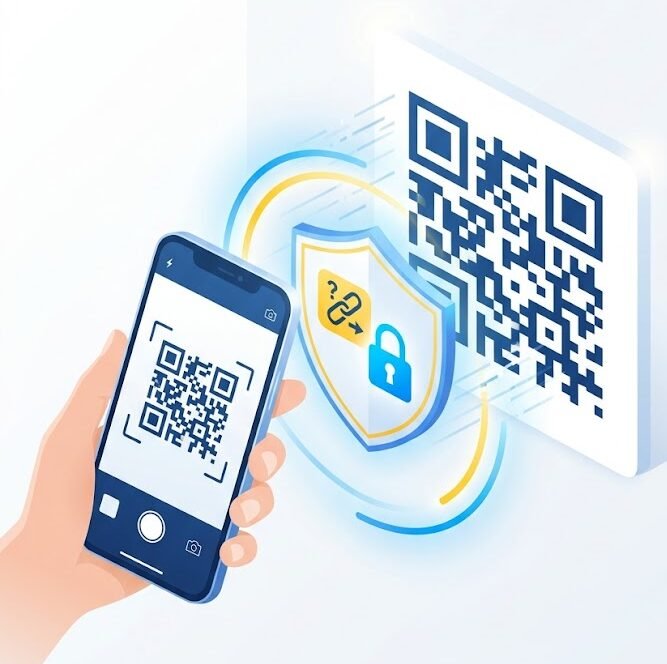
QR codes have become part of everyday life. They are used in restaurants, shops, parking areas, events, advertisements, payment services, delivery messages, and business documents.
Scanning a QR code is quick and convenient, but it can also hide a dangerous destination.
Unlike a normal website link, a QR code does not immediately show the address it will open. Attackers can use this to direct users to phishing websites, fake payment pages, malicious downloads, or fraudulent login forms.
Understanding how QR code scams work can help you use them more safely.
What is a QR code scam?
A QR code scam happens when an attacker creates or replaces a QR code to send users to an unsafe destination.
The code may lead to:
- A fake login page.
- A fraudulent payment website.
- A malicious application download.
- A fake delivery or parking page.
- A phishing form.
- A website requesting personal or financial information.
- A page asking the user to install a configuration profile.
- A fake customer-support service.
The QR code itself does not attack the device. The danger usually begins after the user opens the destination and follows the instructions.
Why QR code scams are effective
QR codes are difficult to inspect visually. A real code and a fraudulent code can look almost identical.
Users may also scan quickly because the code appears in a trusted location, such as:
- A restaurant table.
- A parking meter.
- A hotel reception desk.
- A business poster.
- A delivery message.
- An event entrance.
- A product package.
- A printed invoice.
Attackers depend on the user trusting the location without verifying the website.
QR code phishing
QR code phishing is sometimes called quishing.
Instead of placing a normal phishing link in an email or message, the attacker includes a QR code.
The message may claim that the user needs to:
- Verify an account.
- Reset a password.
- Review a secure document.
- Approve a payment.
- Access an employee benefit.
- Confirm a delivery.
- Avoid account suspension.
- Sign in to a cloud service.
Scanning the code may open a fake page designed to steal usernames, passwords, or MFA codes.
Fake QR codes in public places
Attackers may place stickers over legitimate QR codes.
For example, a fraudulent sticker may be placed on:
- A parking payment sign.
- A restaurant menu.
- A public advertisement.
- A ticket machine.
- A donation poster.
- An event registration sign.
- A charging station.
The fake code may send the user to a website that looks similar to the real service.
Before scanning a public QR code, check whether:
- It appears to be an added sticker.
- The surface looks damaged or covered.
- Another code is visible underneath.
- The design matches the official sign.
- The organization clearly identifies the website.
If the code looks altered, do not scan it.
Fake payment QR codes
Some scams replace legitimate payment QR codes with codes controlled by the attacker.
The victim may believe they are paying:
- A restaurant.
- A parking provider.
- A shop.
- A charity.
- A service provider.
- A business invoice.
Before approving a payment, verify:
- The recipient name.
- The payment amount.
- The organization.
- The payment description.
- The application being used.
Do not complete the payment if the recipient name does not match the expected business or person.
Check the destination before opening it
Many phones display a preview of the website address before opening a QR code.
Read the address carefully.
Look for:
- Misspelled company names.
- Extra letters or numbers.
- Unusual domain extensions.
- Shortened links.
- Domains unrelated to the organization.
- Strange subdomains.
- HTTP instead of HTTPS.
- A request to download an unknown file.
A lock icon or HTTPS connection does not prove that the website is legitimate. Fraudulent websites can also use encryption.
The domain name itself must be correct.
Do not enter passwords after scanning an unexpected code
Be cautious if a QR code immediately asks you to log in to:
- Email.
- Microsoft 365.
- Google.
- Social media.
- Banking.
- A company portal.
- Cloud storage.
- A delivery account.
Ask why the login is necessary.
It is safer to open the official application or type the website address manually instead of logging in through the QR code destination.
Be careful with QR codes received by email
An email security system may inspect normal links, but a QR code inside an image may be harder to analyze.
Attackers may send a QR code with messages such as:
- Your password expires today.
- Scan to access the secure document.
- Review an important invoice.
- Confirm your account.
- Scan to receive a refund.
- Your mailbox storage is full.
- Complete your employee verification.
If the request is unexpected, contact the organization or sender through a separate trusted channel.
Do not install unknown applications or profiles
A scanned QR code may ask you to:
- Install an application.
- Download a security update.
- Install a certificate.
- Add a device-management profile.
- Enable accessibility access.
- Change browser settings.
- Allow notification access.
Do not install software or configuration profiles from an unknown QR code.
Use official app stores and verified company portals.
Businesses should provide employees with clear instructions for installing approved applications.
Protect your MFA codes
A fake QR code may open a login page that captures the password and then asks for an MFA code.
Never assume that a page is legitimate only because it successfully triggers a real authentication request.
Before entering a code:
- Check the complete website address.
- Confirm that you started the login.
- Use the official application where possible.
- Reject unexpected approval notifications.
A real MFA code can still be stolen through a fake page.
QR codes and cryptocurrency scams
Fraudulent cryptocurrency payments often use QR codes because wallet addresses are long and difficult to verify manually.
Before sending cryptocurrency:
- Confirm the recipient independently.
- Check the full wallet address.
- Verify the network.
- Confirm the amount.
- Be cautious of urgent investment requests.
- Do not trust QR codes received from unknown people.
Cryptocurrency transactions may be difficult or impossible to reverse.
Business risks
Businesses may use QR codes for:
- Payments.
- Visitor registration.
- Employee authentication.
- Marketing.
- Product information.
- Customer surveys.
- Wi-Fi access.
- Event check-in.
Organizations should:
- Monitor physical QR codes.
- Use official branded pages.
- Check codes regularly for tampering.
- Avoid using QR codes for highly sensitive authentication.
- Educate employees about QR phishing.
- Provide reporting procedures.
- Use clear domain names.
- Remove expired QR codes.
Employees should report suspicious QR codes rather than testing them.
What to do before scanning
Use this checklist:
- Check where the QR code came from.
- Look for signs of a sticker or replacement.
- Confirm that the organization is trusted.
- Preview the website address.
- Check the domain carefully.
- Avoid codes received through unexpected messages.
- Do not install unknown software.
- Verify payment recipients.
- Use the official app when possible.
- Stop if the request creates unnecessary urgency.
What to do if you scanned a suspicious QR code
If you opened the page but did not enter information:
- Close the page.
- Do not download anything.
- Check the browser downloads.
- Remove unexpected files.
- Review browser notifications.
- Update the device and browser.
If you entered a password:
- Open the official service directly.
- Change the password.
- Change it anywhere else it was reused.
- Enable or review MFA.
- Sign out unknown sessions.
- Review recovery information.
If you entered payment details:
- Contact the bank or payment provider.
- Monitor transactions.
- Freeze or replace the card if advised.
- Preserve screenshots and transaction details.
If the incident involved a work account or device, report it to IT or security immediately.
Final advice
QR codes are useful, but they should not be trusted automatically.
Treat every QR code like a hidden link.
Check the source, preview the destination, verify the domain, and avoid entering passwords or payment details unless you are certain the page is legitimate.
A few seconds of verification can prevent account theft, payment fraud, and exposure of personal information.
You can also test your awareness through the Cybersecurity Quiz on BTSec Hub and practise identifying phishing links, fake login pages, and online scams.
Suggested Excerpt
QR codes can hide phishing links, fake payment pages, and malicious downloads. Learn how to inspect QR codes, verify website addresses, and respond safely to suspicious scans.