
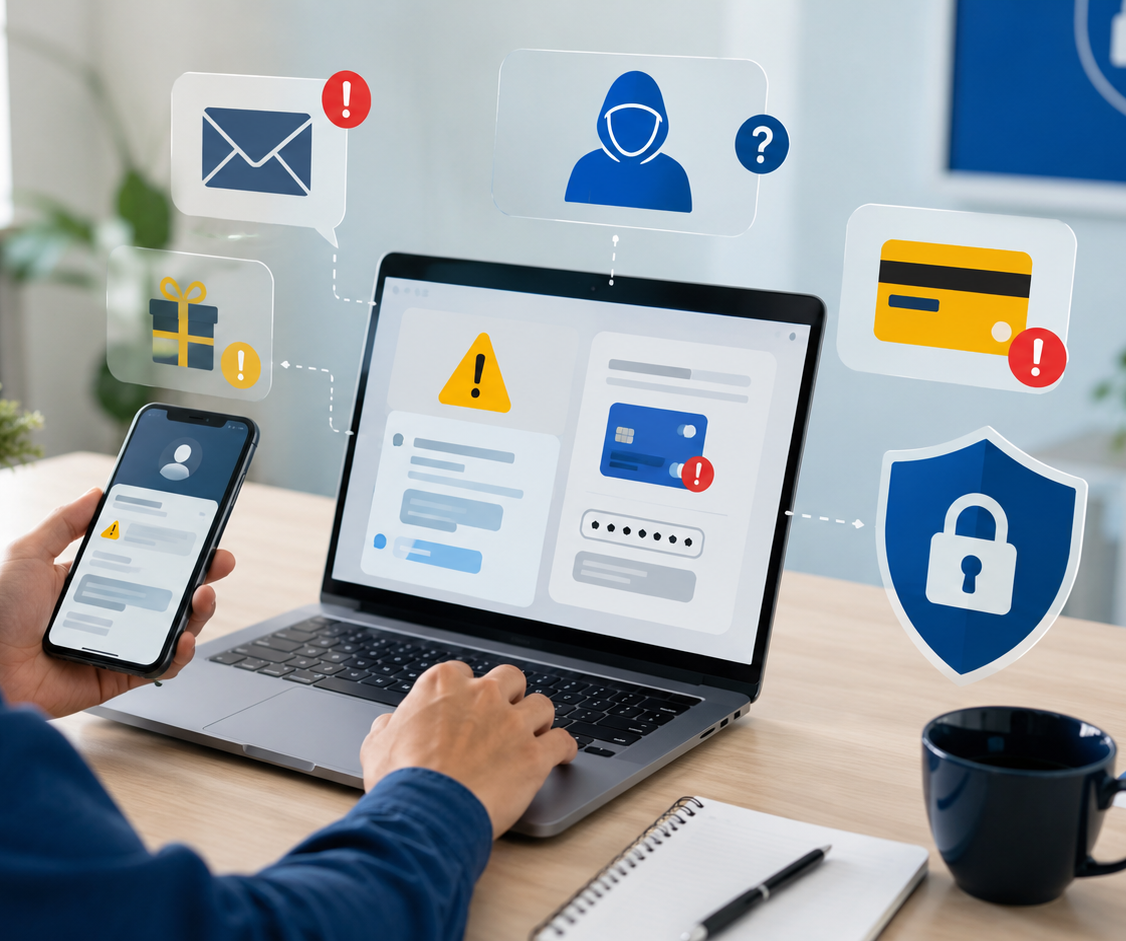
Online scams are becoming more common, and many of them do not look dangerous at first.
A scam may appear as a prize message, a delivery notification, a bank warning, a special discount, an investment opportunity, a job offer, a technical-support request, or even a message from someone who appears to be a friend, relative, manager, or trusted company.
The main objective is usually to make the victim act quickly before verifying the situation.
Scammers may ask you to:
- Click a link.
- Pay a small fee.
- Share personal information.
- Send an OTP or MFA code.
- Install an application.
- Allow remote access to your device.
- Transfer money.
- Purchase gift cards.
- Send cryptocurrency.
- Move a conversation outside a trusted platform.
Recognizing these warning signs can help protect your money, identity, accounts, devices, and personal information.
Why online scams are effective
Online scams do not depend only on technical tricks. They often depend on emotions.
Scammers commonly use:
- Fear.
- Urgency.
- Curiosity.
- Excitement.
- Sympathy.
- Trust.
- Financial pressure.
- Authority.
A message may claim that your bank account is under attack, your package is delayed, your account will be closed, or a relative needs urgent help.
The message is designed to reduce the time you spend thinking and verifying.
A professional design, company logo, correct spelling, or familiar profile picture does not prove that a message is legitimate.
What scammers may try to steal
A successful scam may result in:
- Financial loss.
- Stolen passwords.
- Compromised email or social media accounts.
- Identity theft.
- Unauthorized transactions.
- Stolen card information.
- Access to business systems.
- Malware infection.
- Remote control of a device.
- Exposure of personal documents.
- Fraud targeting friends, customers, or coworkers.
Some scammers begin by asking for a small amount of information or money. Once the victim responds, the requests may become larger and more aggressive.
Fake prize and giveaway scams
A message may claim that you won:
- A mobile phone.
- Cash.
- A gift card.
- A holiday.
- A shopping voucher.
- A social media giveaway.
- A government reward.
- A loyalty-program prize.
The victim may be asked to pay a delivery, customs, registration, or processing fee.
Ask yourself:
- Did I enter this competition?
- Is the message coming from an official account?
- Is the website domain correct?
- Why is payment required to receive a prize?
- Is the offer published on the organization’s official website?
A real prize should not require your banking password, OTP code, or remote access to your device.
Fake delivery and customs messages
Delivery scams often claim that:
- A package is waiting.
- The address is incomplete.
- A customs fee is required.
- Delivery failed.
- A payment is missing.
- The parcel will be returned.
The message usually includes a link to a fake payment page.
The amount requested may be small because scammers know users are less likely to question a minor charge.
To verify a delivery:
- Open the courier’s official website or application.
- Enter the tracking number manually.
- Contact the courier using published contact details.
- Do not rely on the telephone number or link inside the message.
- Check whether you are actually expecting a package.
Fake bank calls and messages
A scammer may pretend to be from a bank, card provider, payment service, or fraud department.
They may claim:
- A suspicious transaction was detected.
- Your card will be blocked.
- Your account needs verification.
- A refund is waiting.
- Someone is trying to access your account.
- You must move money to a “safe account.”
They may ask for:
- Card details.
- PIN.
- Password.
- OTP code.
- Account number.
- Remote access.
- Approval of a banking notification.
A genuine bank should not ask you to reveal your password, PIN, or OTP.
If you receive this type of call:
- End the call.
- Use the official number printed on your card or published by the bank.
- Open the official banking application directly.
- Review recent transactions.
- Do not transfer money based only on telephone instructions.
Caller ID can be manipulated, so a familiar number is not enough to prove who is calling.
OTP and verification-code scams
A one-time password or verification code is designed to confirm an important action, such as:
- Logging in.
- Resetting a password.
- Adding a device.
- Approving a payment.
- Recovering an account.
- Changing security settings.
Scammers may claim that the code is needed to stop fraud, cancel a payment, verify your identity, or confirm a delivery.
Never share:
- OTP codes.
- MFA codes.
- Password-reset links.
- Backup codes.
- Login approval numbers.
- Authentication-app codes.
Anyone asking for such a code may be trying to complete an action on your account.
Fake technical-support scams
A caller, pop-up, or message may claim that:
- Your device has a virus.
- Your computer is sending errors.
- Your account has been hacked.
- Your subscription expired.
- Your operating system requires urgent support.
- Your bank needs to check the device.
The scammer may ask you to install remote-access software.
Once connected, they may:
- View your files.
- Watch your screen.
- Access saved passwords.
- Open online banking.
- Install malware.
- Change security settings.
- Claim that harmless files are evidence of infection.
Do not give remote access to someone who contacted you unexpectedly.
Only use official support channels that you contacted yourself.
Fake online stores
Fraudulent stores may advertise expensive products at unusually low prices.
The site may include:
- Professional product images.
- Fake reviews.
- Countdown timers.
- “Only one item left” messages.
- Large discounts.
- Copied return policies.
- Fake trust badges.
Before buying, check:
- How long the domain has existed.
- Whether contact details are clear.
- Whether the business has an independent reputation.
- Whether the return and refund policy is realistic.
- Whether the payment method offers buyer protection.
- Whether the price is believable.
- Whether the website address matches the company name.
Avoid paying through unprotected bank transfer, gift cards, or cryptocurrency when buying from an unfamiliar seller.
Marketplace scams
Scams may also occur on legitimate shopping or marketplace platforms.
A buyer or seller may ask you to:
- Continue the conversation on WhatsApp or email.
- Pay outside the platform.
- Click a link to “receive payment.”
- Pay an insurance or release fee.
- Share a verification code.
- Ship an item before payment is confirmed.
- Trust a screenshot as proof of payment.
Keep communication and payment inside the official platform whenever possible.
Do not trust screenshots, email notifications, or messages claiming that payment is complete. Verify the transaction inside your real account.
Investment and cryptocurrency scams
Investment scams may promise:
- Guaranteed profits.
- Fast returns.
- No risk.
- Secret trading systems.
- Celebrity endorsements.
- Artificial-intelligence trading.
- Exclusive cryptocurrency opportunities.
- Help recovering previous investment losses.
Scammers may initially allow a small withdrawal to build trust. Later, they may demand larger deposits or claim that taxes and fees must be paid before the balance can be released.
Warning signs include:
- Guaranteed returns.
- Pressure to invest immediately.
- Unlicensed advisers.
- Payment in cryptocurrency.
- Requests to install screen-sharing software.
- A platform that prevents withdrawals.
- Additional fees required to access your own money.
No legitimate investment can guarantee high returns without risk.
Romance and friendship scams
A scammer may build a relationship over days, weeks, or months before asking for money.
They may claim to need help with:
- Medical expenses.
- Travel.
- Customs fees.
- Business problems.
- Family emergencies.
- Military leave.
- Investment opportunities.
They may avoid video calls, provide inconsistent personal details, or repeatedly delay meeting in person.
Never send money or financial information to someone you have not verified independently.
Job and recruitment scams
Fake job offers may appear through email, social media, messaging applications, or recruitment websites.
The scammer may offer:
- High salary for simple work.
- Immediate hiring without an interview.
- Remote work with unusual payment arrangements.
- A cheque to purchase equipment.
- Commission for transferring money.
- Tasks involving cryptocurrency.
- Work that requires paying a registration fee.
A legitimate employer should not ask candidates to pay for a job, send OTP codes, or use personal bank accounts to process company funds.
Verify the vacancy through the company’s official website and contact its HR department using independently confirmed details.
Impersonation scams
Scammers may pretend to be:
- A family member.
- A manager.
- A coworker.
- A customer.
- A government employee.
- A police officer.
- A bank representative.
- Technical support.
- A delivery company.
- A social media platform.
A compromised or copied account can make the message look believable.
If someone requests money, gift cards, sensitive information, or urgent action, verify through another trusted channel.
For example, call the person using a known number rather than replying to the same message.
Business email compromise
Businesses may receive fraudulent emails that appear to come from managers, suppliers, customers, or executives.
The message may request:
- An urgent payment.
- A change to bank details.
- Purchase of gift cards.
- Release of confidential information.
- Payroll changes.
- Access credentials.
- An unusual invoice payment.
Payment and bank-detail changes should be confirmed using an approved verification procedure, such as calling a known contact number.
Do not confirm the request using only the contact information contained in the suspicious email.
Warning signs of an online scam
One warning sign alone may not prove fraud, but several signs together should increase caution.
Urgency and pressure
Common phrases include:
- Act now.
- Pay immediately.
- Your account will be closed.
- Your package will be returned.
- This offer expires today.
- Do not tell anyone.
- You must respond within one hour.
Scammers use pressure to prevent verification.
Requests for sensitive information
Be cautious when someone asks for:
- Passwords.
- OTP or MFA codes.
- Card details.
- PIN numbers.
- Passport or ID copies.
- Account-recovery information.
- Remote access.
- Banking credentials.
- Security answers.
Unusual payment methods
High-risk payment requests include:
- Gift cards.
- Cryptocurrency.
- Wire transfer.
- Cash deposit.
- Payment outside an official platform.
- Transfer to a personal account.
- A “safe account.”
- Payment through an unfamiliar application.
These methods may be difficult to reverse.
Offers that seem too good to be true
Be suspicious of:
- Guaranteed investment returns.
- Extremely cheap products.
- Unexpected prizes.
- High-paying jobs without interviews.
- Free money.
- Immediate account verification badges.
- Offers requiring a fee before receiving a reward.
Requests for secrecy
A scammer may ask you not to contact your bank, family, employer, or authorities.
This is designed to isolate the victim from people who may identify the scam.
Suspicious links and domains
A fraudulent link may contain a company name but use the wrong domain.
Check:
- Spelling.
- Extra letters.
- Unusual subdomains.
- Strange extensions.
- Shortened links.
- Missing or altered company names.
A lock icon or HTTPS connection does not prove that the website is legitimate.
How to verify a suspicious request
Use a separate, trusted method.
For example:
- Open the official application directly.
- Type the company website manually.
- Call a known telephone number.
- Use the number printed on your card.
- Contact the person through a different application.
- Ask the organization through its verified account.
- Check the request with a manager or finance department.
- Review transactions inside your real account.
Never verify a suspicious message using only the links, numbers, or contact information contained inside it.
Before making an online payment
Pause and check:
- Do I know who I am paying?
- Is the website legitimate?
- Is the payment method protected?
- Is the request urgent for no clear reason?
- Is the price realistic?
- Can I verify the business independently?
- Does the recipient name match the company?
- Am I being asked to leave a trusted platform?
- Is someone requesting gift cards or cryptocurrency?
- Can the payment be reversed if something goes wrong?
For businesses, sensitive payments should require more than one person’s approval.
Protect your accounts
Reduce the risk of scams by using:
- Unique passwords.
- A password manager.
- Multi-Factor Authentication.
- Login alerts.
- Updated recovery information.
- Regular review of active sessions.
- Secure email accounts.
- Updated devices and applications.
Remember that MFA codes must never be shared.
Protect your devices
Scammers may attempt to install malicious or remote-access software.
Keep your device protected by:
- Installing security updates.
- Using an approved security tool.
- Keeping the firewall enabled.
- Avoiding unknown applications.
- Reviewing installed browser extensions.
- Using a screen lock.
- Removing remote-access tools you do not need.
- Avoiding shared public computers for sensitive accounts.
What to do if you clicked a suspicious link
If you only opened the page and did not enter information, close it and avoid further interaction.
Then:
- Check the downloaded-files folder.
- Remove unexpected downloads.
- Update the browser and device.
- Run an approved security scan if needed.
- Monitor accounts for unusual activity.
If you entered a password:
- Change it through the official service.
- Change it anywhere else it was reused.
- Enable MFA.
- Sign out unknown sessions.
- Review recovery details.
What to do if you shared an OTP or approved a login
Act immediately:
- Open the official account.
- Change the password.
- Sign out all active sessions.
- Remove unknown devices.
- Review account-recovery details.
- Regenerate backup codes.
- Check recent activity.
- Contact the service provider.
- Inform IT or security if it was a work account.
What to do if you sent money
Contact the bank, card provider, or payment service immediately.
Provide:
- Transaction details.
- Recipient information.
- Screenshots.
- Messages.
- Website addresses.
- Telephone numbers.
- Payment receipts.
Ask whether the transaction can be stopped, reversed, or investigated.
Also:
- Report the scam through the relevant platform.
- Preserve evidence.
- Change compromised passwords.
- Monitor other accounts.
- Contact the appropriate local authority if necessary.
Do not send additional money to anyone claiming they can recover the original payment for a fee. Recovery scams often target people who have already lost money.
What to do if you allowed remote access
If an unknown person controlled your device:
- Disconnect the device from the internet.
- End the remote session.
- Uninstall the remote-access application.
- Contact trusted technical support.
- Scan the device.
- Review installed applications and extensions.
- Change important passwords from a known-clean device.
- Contact your bank if financial accounts were accessed.
- Inform IT or security if it was a company device.
Do not use the affected device for sensitive transactions until it has been reviewed.
Reporting scams
For personal scams:
- Block the sender.
- Report the account or message.
- Notify your bank when money is involved.
- Preserve evidence.
- Report fraudulent websites to the relevant service.
For workplace scams:
- Contact IT, security, finance, or management.
- Do not delete evidence before reporting.
- Explain whether you clicked, downloaded, paid, or shared information.
- Report quickly without attempting to hide the incident.
Early reporting can reduce damage.
Questions to ask before taking action
Before clicking, paying, installing, or sharing information, ask:
- Was I expecting this message?
- Is the sender independently verified?
- Does the request make sense?
- Is the link using the official domain?
- Is someone creating unnecessary urgency?
- Is the payment method unusual?
- Am I being asked to keep the request secret?
- Can I confirm this through another channel?
- Would a legitimate organization ask for this information?
- What happens if I pause and verify first?
A legitimate organization should allow reasonable verification.
Final advice
Online scams succeed when people act before checking.
Scammers may use professional designs, familiar names, real company logos, compromised accounts, and convincing stories. The message may appear trustworthy while still being fraudulent.
Pause before clicking, paying, sharing information, installing software, or approving a login.
Verify the request using official and independent contact details.
A few minutes of checking can protect your accounts, money, identity, business information, and devices.
You can also test your awareness through the Cybersecurity Quiz on BTSec Hub and practise identifying phishing messages, suspicious links, password risks, and online fraud step by step.