

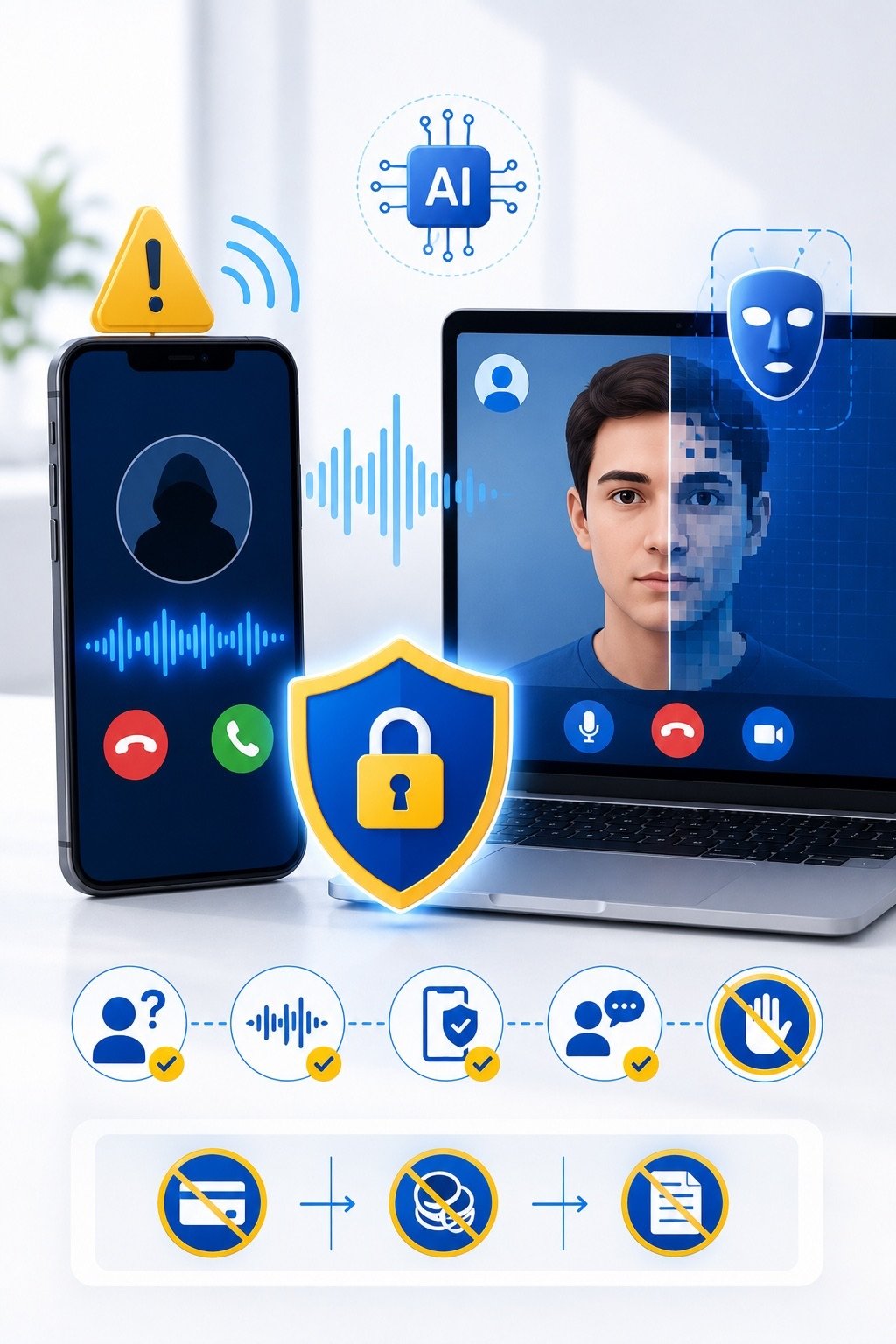
Artificial intelligence can create realistic voices, images, and videos.
These technologies have useful applications in education, entertainment, accessibility, and business. However, scammers can also use them to impersonate family members, managers, public figures, customer-support employees, or trusted organizations.
A fraudulent voice call may sound like someone you know. A video may appear to show a real person speaking. A social media advertisement may use an artificial celebrity endorsement.
This type of deception can make traditional advice such as “recognize the person’s voice” less reliable.
Users now need additional ways to verify unexpected requests.
What is an AI voice scam?
An AI voice scam uses generated or manipulated audio to imitate another person.
The scammer may attempt to copy:
- A family member.
- A manager.
- A coworker.
- A customer.
- A bank employee.
- A government representative.
- A public figure.
The voice may be created from recordings found in videos, voice messages, online meetings, social media posts, or public presentations.
The attacker then uses the imitation during a call or voice message to create trust and urgency.
What is a deepfake?
A deepfake is artificial or manipulated media designed to make someone appear to say or do something that did not happen.
Deepfakes may include:
- Altered video.
- Artificial speech.
- Face replacement.
- Lip synchronization.
- Generated photographs.
- Fake live-video calls.
- Manipulated social media content.
Not every edited image or video is a deepfake, but the security concern is similar: the content may appear authentic while presenting false information.
Why impersonation scams are effective
People naturally trust familiar voices and faces.
Scammers combine this trust with emotional pressure, such as:
- Fear.
- Urgency.
- Secrecy.
- Authority.
- Family concern.
- Financial opportunity.
A caller may say:
- I have been arrested.
- I was involved in an accident.
- I lost my phone.
- I need money immediately.
- Do not tell anyone.
- This payment must be completed today.
- Our company account has changed.
- I cannot join the normal video call.
- Send the verification code now.
The goal is to make the victim act before using another method to confirm the request.
Family emergency scams
In a family emergency scam, the attacker may imitate a child, parent, spouse, or relative.
The caller may claim to be:
- Injured.
- Arrested.
- Stranded while travelling.
- In urgent need of medical help.
- Using someone else’s phone.
- Unable to access their normal account.
A second scammer may pretend to be a police officer, lawyer, doctor, or friend to make the story more convincing.
The victim may be asked to send money through:
- Bank transfer.
- Gift cards.
- Cryptocurrency.
- Cash delivery.
- A payment application.
Before sending anything, stop and verify through a known number or another trusted family member.
Business impersonation scams
Attackers may impersonate:
- Executives.
- Finance managers.
- Suppliers.
- Project managers.
- Customers.
- IT support.
- Human resources staff.
A voice message or video call may request:
- An urgent payment.
- A change in bank details.
- Purchase of gift cards.
- Release of confidential information.
- Reset of an account.
- Creation of a new administrator.
- Transfer of customer data.
- Approval of an unusual transaction.
Businesses should never rely only on voice or video for high-risk approvals.
Sensitive requests need independent verification through approved procedures.
Fake video meetings
Deepfake technology may be used in a video meeting to create the appearance of a real person.
Warning signs may include:
- Unnatural facial movement.
- Poor synchronization between speech and lips.
- Unusual blinking.
- Distorted edges around the face.
- Lighting that does not match the environment.
- Difficulty turning the head.
- Refusal to perform an unexpected action.
- A request to continue without normal company procedures.
However, deepfakes are improving, and visual mistakes may not always be obvious.
Verification procedures are more reliable than trying to detect every technical imperfection.
Celebrity and investment scams
Artificial video or audio may be used to make a public figure appear to promote:
- Cryptocurrency.
- Trading platforms.
- Investment programs.
- Giveaways.
- Health products.
- Recovery services.
- Exclusive financial opportunities.
A familiar face does not confirm that the endorsement is genuine.
Verify offers through:
- The person’s official accounts.
- The organization’s official website.
- Independent financial sources.
- Regulatory information where applicable.
Guaranteed returns and urgent investment demands are major warning signs.
Fake customer-support calls
A scammer may use a realistic voice to claim they are calling from:
- A bank.
- A technology company.
- A delivery service.
- A government agency.
- A social media platform.
- An employer’s IT department.
They may ask for:
- Passwords.
- OTP codes.
- MFA approval.
- Remote access.
- Payment details.
- Account-recovery codes.
- Installation of software.
End the call and contact the organization using a known official number.
Do not call a number provided only by the suspicious caller or message.
Do not depend on caller ID
Caller ID can be manipulated.
A call may appear to come from:
- A bank.
- A government office.
- A family member.
- A company telephone number.
- A local mobile number.
The displayed name or number does not prove the caller’s identity.
Verification must use a separate trusted channel.
Create a family verification word
Families can agree on a private word or phrase for emergency requests.
It should be:
- Known only to trusted family members.
- Unrelated to public information.
- Easy for the family to remember.
- Changed if it becomes exposed.
- Never posted online.
If someone calls with an urgent request, ask for the verification word.
This is not perfect protection, but it adds another barrier.
Do not use birthdays, pet names, addresses, or other information available on social media.
Use challenge questions carefully
Ask a question that the real person can answer but is not publicly available.
Examples may relate to:
- A private family event.
- A recent personal conversation.
- An agreed internal process.
- A company-specific verification procedure.
Avoid questions based on information visible online.
For business transactions, personal questions should not replace formal approval controls.
Call back using a known number
One of the strongest verification steps is ending the conversation and calling back through a number you already trust.
Use:
- A saved contact.
- A number from an official website.
- A company directory.
- A known internal communication platform.
- A second family member.
Do not call back using the number supplied during the suspicious interaction.
If the caller pressures you not to disconnect, that is an additional warning sign.
Verify through another communication channel
If a request arrives by voice, verify it through:
- A separate phone call.
- A known email address.
- An official company chat.
- An in-person conversation.
- Another family member.
- A manager or finance department.
The important point is that the second channel must be independently trusted.
Replying to the same compromised account is not independent verification.
Watch for urgency and secrecy
Scammers often say:
- Do not tell anyone.
- There is no time to explain.
- I need this completed immediately.
- My phone is broken.
- I cannot use the normal account.
- The bank will close the account.
- The deal will be lost.
- Senior management already approved it.
Urgency may be legitimate, but it should never remove basic verification.
A genuine family member or manager should understand why you need to confirm a high-risk request.
Protect your public voice and video content
You may not be able to prevent all misuse of public recordings, but you can reduce unnecessary exposure.
Consider:
- Limiting public voice samples.
- Reviewing privacy settings.
- Avoiding long public recordings containing personal details.
- Controlling who can download shared videos.
- Removing old content that no longer needs to be public.
- Avoiding public discussion of verification information.
Businesses should consider which meetings, presentations, and recordings are made publicly available.
Protect social media accounts
A compromised social account may give an attacker:
- Voice recordings.
- Personal photographs.
- Family relationships.
- Workplace details.
- Travel information.
- Contact lists.
- Private messages.
Protect social media with:
- Unique passwords.
- MFA.
- Secure recovery settings.
- Regular session reviews.
- Restricted privacy settings.
- Limited public personal information.
The attacker may use real information to make an artificial voice or message more convincing.
AI-generated text and impersonation
AI impersonation is not limited to voice and video.
Scammers may generate realistic messages that match a person’s writing style or business language.
A fraudulent message may include:
- Correct names.
- Company terminology.
- Previous project details.
- Professional grammar.
- A familiar communication style.
Good grammar and accurate details do not prove authenticity.
Verify unusual requests, especially when money, credentials, or sensitive data are involved.
Payment verification for businesses
Businesses should establish clear procedures for:
- New supplier bank accounts.
- Changes to payment details.
- Large transfers.
- Emergency payments.
- Payroll changes.
- Gift-card purchases.
- Confidential information requests.
Controls may include:
- Two-person approval.
- Call-back verification.
- Confirmation through a known contact.
- Written approval in an official system.
- Waiting periods for bank-detail changes.
- Transaction limits.
A convincing voice or video should never bypass these procedures.
Help-desk and account-recovery risks
An attacker may impersonate an employee and ask IT support to:
- Reset a password.
- Remove MFA.
- Add a new phone.
- Register a new device.
- Create a new account.
- Provide remote access.
Help desks should use strong identity-verification procedures.
Voice recognition alone is not sufficient.
High-risk recovery actions should require multiple verification steps and proper logging.
Warning signs of an impersonation scam
Be cautious when:
- The request is unexpected.
- Money must be sent immediately.
- Normal procedures must be bypassed.
- The caller asks for secrecy.
- The payment method is unusual.
- The person refuses a call-back.
- The caller claims their normal device is unavailable.
- Verification codes are requested.
- Bank details suddenly change.
- The communication style feels slightly unusual.
- The caller becomes angry when questioned.
One sign may not prove fraud, but several signs together require immediate verification.
What to do during a suspicious call
If a call feels suspicious:
- Do not share sensitive information.
- Do not send money.
- Do not provide OTP or MFA codes.
- Ask a private verification question.
- End the call.
- Call the person through a known number.
- Contact another trusted person.
- Report the incident if it involves work.
- Preserve the number, recording, or messages.
- Block the caller when appropriate.
You do not need to prove that the voice is artificial before refusing the request.
What to do if you sent money
Act immediately:
- Contact the bank or payment provider.
- Ask whether the transaction can be stopped or recalled.
- Provide all transaction details.
- Preserve messages and call records.
- Report the impersonated account.
- Inform the real person or company.
- Report the fraud to the appropriate authority.
- Watch for recovery scams.
Do not send additional money to someone claiming they can recover the payment for a fee.
What to do if you shared a verification code
If you shared an OTP, MFA code, or recovery code:
- Open the official account directly.
- Change the password.
- Sign out active sessions.
- Remove unknown devices.
- Review recovery information.
- Regenerate backup codes.
- Contact the service provider.
- Inform IT if it was a work account.
Treat the account as potentially compromised.
What to do if your identity was copied
If someone is using your image, name, or voice:
- Save screenshots and links.
- Report the fake account or content.
- Warn friends, employees, or customers.
- Publish a warning through your verified channels.
- Review your real accounts for compromise.
- Change passwords where necessary.
- Contact relevant platforms.
- Report financial fraud promptly.
Businesses should prepare a communication plan for executive or brand impersonation.
A practical verification checklist
Before acting on an unexpected voice, video, or message request, ask:
- Was I expecting this communication?
- Is the request normal for this person?
- Is someone creating urgency?
- Am I being asked to bypass procedures?
- Can I call back using a known number?
- Can another trusted person confirm it?
- Is the payment method unusual?
- Does the request involve codes or passwords?
- Can I verify it through an official channel?
- What happens if I pause for five minutes?
Legitimate people and organizations should allow reasonable verification.
Final advice
Voices, photographs, and videos can no longer be treated as automatic proof of identity.
AI-generated impersonation makes independent verification more important than ever.
Pause before sending money, sharing credentials, approving a login, or changing financial information.
Call back through a trusted number, use a second communication channel, and follow established approval procedures.
You do not need to identify exactly how the content was created. You only need to verify the request before taking action.
Suggested Excerpt
AI-generated voices and deepfake videos can imitate relatives, managers, and trusted organizations. Learn how to verify urgent requests and avoid digital impersonation scams.