

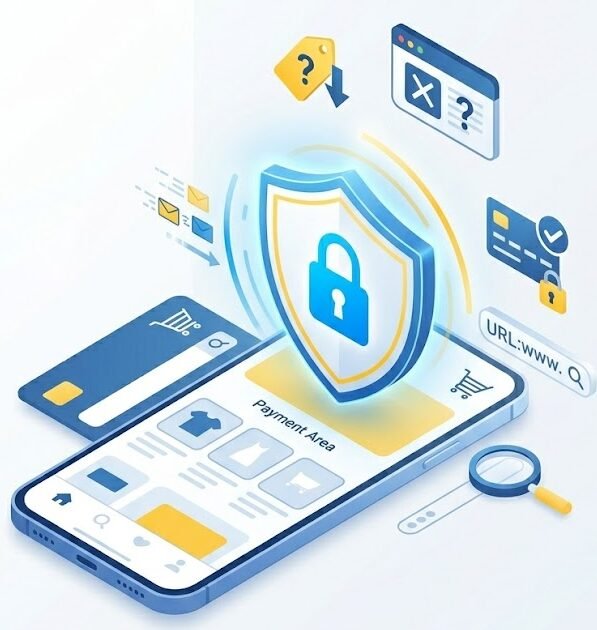
Online shopping makes it easy to compare products, order services, and make payments from almost anywhere.
However, fraudulent stores, fake advertisements, payment scams, and phishing websites can make online purchases risky.
A professional-looking website does not always belong to a legitimate business. Attackers can copy product images, reviews, logos, and website designs to make a fake store appear trustworthy.
Learning how to verify a store before paying can reduce the risk of financial loss and stolen personal information.
Common online shopping risks
Online shoppers may encounter:
- Fake stores.
- Nonexistent products.
- Counterfeit goods.
- Stolen payment information.
- Fake delivery messages.
- Fraudulent refunds.
- Marketplace scams.
- Subscription traps.
- Misleading advertisements.
- Phishing pages.
Some scams disappear immediately after receiving payment. Others continue by requesting additional customs, delivery, or insurance fees.
Prices that are too low
A very large discount can be a warning sign.
Scammers may advertise expensive products at extremely low prices to create excitement and reduce careful thinking.
Before purchasing, compare the price with:
- The official manufacturer.
- Trusted retailers.
- Other established stores.
- Normal market prices.
A lower price is not automatically fraudulent, but an unrealistic price should be investigated.
Check the website address
Fake stores may use domains that resemble real companies.
Look for:
- Misspelled brand names.
- Extra letters or numbers.
- Unusual domain extensions.
- Words added before or after the company name.
- Shortened links.
- Domains unrelated to the advertised brand.
For example, a fraudulent site may use a familiar company name inside a longer, unrelated address.
Type the official website manually rather than using a link from an unexpected message or advertisement.
HTTPS is not proof of legitimacy
A lock icon means the connection between the browser and website is encrypted.
It does not prove that the business is genuine.
Fake stores can also use HTTPS certificates.
Check the domain, business identity, contact details, and reputation rather than depending only on the lock icon.
Check the seller’s information
A legitimate business should usually provide clear information, such as:
- Company name.
- Contact details.
- Physical address where appropriate.
- Return policy.
- Refund policy.
- Delivery terms.
- Privacy policy.
- Secure payment options.
Be cautious if:
- The only contact method is a messaging application.
- The address does not exist.
- The telephone number does not work.
- Policies appear copied or incomplete.
- The company name changes across pages.
- There is no clear refund process.
Do not trust website reviews alone
A fake store may create its own reviews.
Reviews may be copied, automatically generated, or written by the operator.
Look for independent information outside the website.
Search for:
- The store name with the word “review.”
- Complaints.
- Scam reports.
- Customer experiences.
- Business registration details where available.
- Social media history.
A newly created account with thousands of positive reviews deserves caution.
Fake urgency
Fraudulent stores may use:
- Countdown timers.
- Limited-stock warnings.
- “Only one item left.”
- Flash-sale messages.
- Pop-ups showing fake purchases.
- Pressure to pay immediately.
These methods may be designed to stop users from researching the store.
A legitimate offer should still allow enough time to verify the seller.
Choose safer payment methods
Payment methods that provide buyer protection are generally safer.
Depending on your location and provider, safer options may include:
- Credit cards.
- Trusted payment platforms.
- Official marketplace payment systems.
- Virtual or limited-use cards.
Be cautious when a seller requests:
- Gift cards.
- Cryptocurrency.
- Direct transfer to a personal account.
- Payment outside the marketplace.
- Cash transfer services.
- Unfamiliar payment applications.
These methods may be difficult to reverse.
Never send OTP codes to a seller
A seller, courier, bank employee, or support representative should not ask you to send an OTP or MFA code.
A verification code may approve:
- A payment.
- A login.
- A new device.
- A password reset.
- A card transaction.
Read the full message before entering a code.
If the message says not to share the code, do not send it to anyone.
Marketplace scams
Fraud may occur even on legitimate marketplace platforms.
A buyer or seller may ask you to:
- Continue the conversation outside the platform.
- Click a payment link.
- Pay a release fee.
- Share a verification code.
- Trust a payment screenshot.
- Send the item before payment is confirmed.
- Use a courier selected by them.
- Pay insurance before receiving money.
Keep communication and payment inside the official platform.
Check your real account balance rather than trusting screenshots or emails.
Fake payment confirmation
A scammer may send:
- A fake bank transfer screenshot.
- A fraudulent payment email.
- A message claiming funds are pending.
- A link asking you to upgrade your account.
- A request to pay a fee before receiving money.
Verify payment inside the official banking or marketplace application.
Do not ship an item until the payment is confirmed and available.
Fake delivery messages
After a purchase, scammers may send messages claiming:
- The delivery address is incomplete.
- A customs payment is required.
- The package is waiting.
- Delivery failed.
- A small redelivery fee is needed.
The link may lead to a fake payment page.
Verify delivery through:
- The official courier website.
- The seller’s real order page.
- The official mobile application.
- A known tracking number.
Do not use contact details provided only inside the suspicious message.
Protect your shopping accounts
Online shopping accounts may contain:
- Saved cards.
- Addresses.
- Order history.
- Phone numbers.
- Personal information.
- Reward points.
Protect these accounts with:
- Unique passwords.
- MFA where available.
- Login alerts.
- Updated recovery information.
- Regular review of saved payment methods.
Remove old cards and addresses you no longer use.
Avoid saving payment information unnecessarily
Saving a card may be convenient, but it also increases the impact of account compromise.
For unfamiliar or rarely used stores, consider not saving the payment information.
Review saved payment methods regularly and remove outdated cards.
Use a secure device and network
Before paying:
- Update the device.
- Use a trusted browser.
- Avoid unknown public Wi-Fi.
- Check for browser security warnings.
- Avoid shared computers.
- Confirm the website address.
For important purchases, use mobile data or a trusted home network rather than unknown public Wi-Fi.
Social media advertisements
A product advertised on social media is not automatically trustworthy.
Fraudulent advertisements may use:
- Stolen product videos.
- Fake celebrity endorsements.
- Copied brand logos.
- Artificial comments.
- Very low prices.
- Links to recently created stores.
Open the brand’s official profile or website independently and verify whether the offer is genuine.
Subscription traps
Some websites advertise a free or very cheap trial but enroll the customer in a recurring subscription.
Before paying, check:
- Whether the payment repeats.
- The cancellation process.
- Trial duration.
- Full future price.
- Refund conditions.
- Whether a card is required.
Keep confirmation emails and cancel through the official account settings.
Counterfeit products
A fake store may deliver a product, but it may be counterfeit, unsafe, or different from the description.
Be cautious with:
- Luxury goods at extremely low prices.
- Electronics without warranties.
- Health products from unknown sellers.
- Safety equipment from unverified sources.
- Products using copied photographs.
Purchase sensitive or safety-related products from established suppliers.
What to check before buying
Use this checklist:
- Verify the domain.
- Research the seller independently.
- Compare the price.
- Read the return and refund policy.
- Check contact information.
- Use a protected payment method.
- Avoid unusual payment requests.
- Do not share OTP codes.
- Confirm delivery details through official channels.
- Save the order confirmation and receipt.
What to do if you paid a fake store
Act quickly:
- Contact the bank or card provider.
- Ask whether the payment can be stopped or disputed.
- Freeze or replace the card if advised.
- Save screenshots and receipts.
- Report the store to the platform.
- Change any password used on the site.
- Enable MFA on important accounts.
- Monitor transactions.
- Report the fraud to the appropriate local authority where necessary.
Do not send more money if the seller asks for an additional refund, customs, or recovery fee.
What to do if you entered card information on a suspicious site
Contact the card provider immediately.
Also:
- Lock or freeze the card.
- Review recent transactions.
- Replace the card if advised.
- Remove it from unknown accounts.
- Watch for small test transactions.
- Preserve the website address and messages.
Scammers may make a small payment first to confirm that the card works.
What to do if you reused a password
If the fake store received a password that you use elsewhere:
- Change it on the affected account.
- Change it on every account where it was reused.
- Protect your email account first.
- Enable MFA.
- Review active sessions.
- Check recovery information.
Password reuse can turn a shopping scam into a wider account-takeover incident.
Final advice
Safe online shopping depends on slowing down before paying.
Verify the seller, inspect the domain, question unrealistic prices, use protected payment methods, and never share verification codes.
A website can look professional and still be fraudulent.
Before purchasing, ask:
- Is the seller independently verifiable?
- Is the price realistic?
- Is the payment method protected?
- Can the transaction be disputed?
- Is someone pressuring me to act immediately?
A few minutes of checking can protect your money, card information, identity, and online accounts.
You can also test your awareness through the Cybersecurity Quiz on BTSec Hub and practise recognizing fake websites, payment scams, and suspicious messages.
Suggested Excerpt
Fake online stores and payment scams can steal money, card details, and account information. Learn how to verify sellers, choose safer payment methods, and shop securely online.