

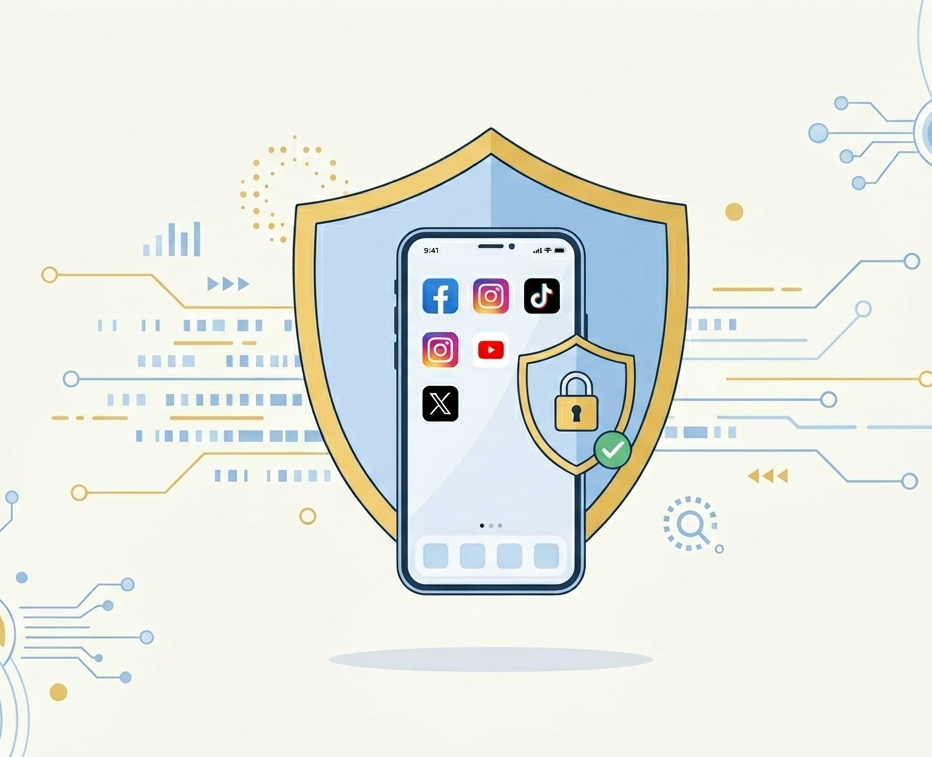
Social media accounts have become an important part of everyday life. People use them to communicate, share photographs and updates, follow news, manage business pages, contact customers, and connect with friends and colleagues.
These accounts often contain much more information than users realize. A social media profile may include private conversations, contact lists, personal photographs, location information, business communications, saved payment details, and information connected to account recovery.
Because of this, social media accounts are attractive targets for attackers, scammers, and identity thieves.
Protecting a social media account is not only about preventing someone from changing your password. It is also about protecting your identity, reputation, contacts, private information, and any other accounts connected to the same email address or phone number.
Why attackers target social media accounts
A compromised social media account can be valuable in several ways.
Attackers may use it to:
- Impersonate the account owner.
- Send scam messages to friends and followers.
- Request money from contacts.
- Promote fraudulent investments or products.
- Steal private conversations and photographs.
- Access business pages or advertising accounts.
- Collect personal information.
- Reset passwords for connected services.
- Publish harmful or misleading content.
- Blackmail the account owner.
- Spread malicious links.
- Target other users who trust the compromised account.
An attacker does not always need to steal money directly from the account owner. A trusted social profile can be used to attack everyone connected to it.
Social media accounts are part of your digital identity
Many users treat social media as entertainment, but a profile can reveal a detailed picture of someone’s life.
Public information may include:
- Full name.
- Date of birth.
- Workplace.
- School or university.
- Family members.
- Friends and colleagues.
- Home city.
- Travel plans.
- Daily routine.
- Email address.
- Phone number.
- Personal interests.
- Photographs of identification cards, tickets, documents, or workplaces.
Attackers can combine these details to create convincing phishing messages, answer account-recovery questions, impersonate the user, or target their employer.
Even information that appears harmless on its own may become valuable when combined with other publicly available information.
Use a strong and unique password
Every social media account should have its own unique password.
Do not use the same password for:
- Email.
- Social media.
- Online shopping.
- Banking.
- Cloud storage.
- Work accounts.
If one website suffers a data breach, attackers may test the exposed password on other platforms. This is known as credential stuffing.
A strong password should be:
- Long.
- Unique.
- Difficult to guess.
- Unrelated to personal information.
- Used for only one account.
A password manager can help create and store different passwords securely.
Your primary email password is especially important because social media platforms often send password-reset links to that email account.
Enable Multi-Factor Authentication
Multi-Factor Authentication adds another verification step to the login process.
Depending on the platform, MFA may use:
- An authentication application.
- A security key.
- A passkey.
- A push notification.
- A one-time code.
- SMS verification.
- Biometric confirmation.
An authentication application, passkey, or security key is generally preferable to SMS when the platform supports it.
However, any properly configured MFA method is usually better than depending on a password alone.
Never approve a login notification you did not initiate, and never send a verification code to another person.
Protect your account-recovery information
Attackers may try to bypass the main password by targeting the recovery process.
Regularly review:
- Recovery email address.
- Recovery phone number.
- Backup codes.
- Trusted devices.
- Active sessions.
- Login methods.
- Security questions.
- Connected accounts.
Remove old telephone numbers and email addresses that you no longer control.
If your phone number changes, update it immediately. An old number may later be assigned to another person.
Recovery information should be protected as carefully as the password itself.
Review active sessions and logged-in devices
Most major social media platforms allow users to review where the account is currently signed in.
Check this area regularly for:
- Unknown devices.
- Unfamiliar browsers.
- Unexpected locations.
- Old phones or computers.
- Sessions that should no longer be active.
If you find an unfamiliar session:
- Sign it out.
- Change the password.
- Review the account email and phone number.
- Enable or reset MFA.
- Check connected applications.
- Review recent messages and posts.
Remember that location information may not always be exact, especially when mobile networks or VPNs are used. Look at the full context, including the device, time, and activity.
Be careful with messages from friends
One of the most effective social media scams comes from a real account that has already been compromised.
The message may appear to come from a friend, relative, coworker, or customer.
Common examples include:
- “Can you vote for me?”
- “Is this you in this video?”
- “I need your help urgently.”
- “I accidentally sent a code to your phone.”
- “I won a prize and you can claim one too.”
- “Can you lend me money?”
- “Your account will be disabled unless you appeal.”
- “Open this document.”
- “Check this photo.”
- “I need your verification code.”
Because the message comes from a familiar account, users may trust it without checking.
If the request is unusual, confirm it through another communication method before taking action.
Do not rely only on the profile name or photograph. Both can belong to a compromised or impersonated account.
Recognize fake account-verification messages
Attackers often pretend to be social media support teams.
They may claim:
- Your account violated a policy.
- Your page will be deleted.
- Your account needs verification.
- Your copyright has been reported.
- Your business page is restricted.
- Your account is eligible for a verification badge.
- Your password must be reset immediately.
The message may include a link to a fake login page designed to steal your credentials.
Open the social media application directly and check official notifications inside the account. Do not use links from unexpected direct messages or emails.
Real support teams should not ask you to send your password or MFA code through chat.
Check links before opening them
A link can look legitimate while directing the user to a different website.
Before entering credentials:
- Check the complete domain name.
- Watch for spelling changes.
- Look for extra words or unusual subdomains.
- Avoid shortened links from unknown sources.
- Open the official application directly when possible.
- Do not ignore browser security warnings.
A fake social media login page may copy the logo, colors, and design of the real platform almost perfectly.
Professional appearance does not prove that the page is legitimate.
Review connected applications and websites
Many social media platforms allow third-party applications to access profile information or perform actions on behalf of the user.
Examples include:
- Games.
- Photo-editing tools.
- Scheduling applications.
- Marketing platforms.
- Analytics services.
- Quiz applications.
- “Who viewed my profile?” tools.
- Login services for other websites.
Some applications request more permissions than they need. Others may become abandoned, compromised, or unsafe over time.
Regularly review connected applications and remove access for anything you:
- No longer use.
- Do not recognize.
- Do not trust.
- Installed only once.
- Cannot verify.
Before authorizing a new application, check which permissions it is requesting.
An application should not receive access to messages, contacts, pages, or account management unless that access is genuinely required.
Be cautious with “Login with social media”
Many websites allow users to sign in using a social media account.
This can be convenient, but it also connects the security of one service to another.
Before using this option:
- Confirm the website is trustworthy.
- Review the permissions requested.
- Avoid linking important accounts to unknown services.
- Remove unused connections later.
- Protect the main social account with MFA.
A compromised social account may affect services that depend on it for login.
Review your privacy settings
Privacy settings determine who can see your posts, personal details, contacts, and activity.
Review settings for:
- Public profile information.
- Posts and stories.
- Friends or followers lists.
- Email address.
- Phone number.
- Date of birth.
- Location.
- Workplace and education.
- Tagged photographs.
- Contact requests.
- Direct messages.
- Search-engine visibility.
- Who can find you using your email or phone number.
Privacy settings can change after platform updates, so they should be reviewed periodically.
Do not assume that a previous setting remains unchanged forever.
Control tagging and mentions
Attackers and scammers may tag users in fraudulent giveaways, investment promotions, adult content, or malicious links.
Enable review options where available so that tags do not automatically appear on your profile.
Also consider limiting:
- Who can mention you.
- Who can tag you.
- Who can post on your profile.
- Who can comment.
- Who can send message requests.
This helps reduce spam, impersonation attempts, and unwanted exposure.
Avoid oversharing personal information
Oversharing can make social engineering easier.
Think carefully before publishing:
- Full date of birth.
- Identification documents.
- Boarding passes.
- Home address.
- Personal phone number.
- School details.
- Workplace access cards.
- Travel dates.
- Real-time location.
- Photographs showing confidential screens or documents.
- Details used in security questions.
Posting that you are travelling may also reveal that your home is unoccupied.
Photographs can contain background information such as badges, addresses, vehicle plates, computer screens, or office documents.
Review the complete image before posting it.
Protect location information
Applications may attach location information to posts, photographs, stories, or check-ins.
Real-time location sharing can reveal:
- Where you live.
- Where you work.
- Where your children study.
- Your daily routine.
- When you are away from home.
Disable location permissions when they are unnecessary.
Consider posting travel photographs after leaving the location rather than while you are still there.
Also review location history and metadata settings on your phone and camera.
Protect business social media accounts
Business pages may have several administrators, advertising accounts, payment methods, and customer communications.
A compromised business account may lead to:
- Fraudulent advertisements.
- Loss of page control.
- Customer scams.
- Reputation damage.
- Exposure of customer messages.
- Unauthorized spending.
- Fake job advertisements.
- Account suspension.
- Loss of access to connected platforms.
Businesses should:
- Give each employee an individual account.
- Avoid sharing one password.
- Require MFA for administrators.
- Limit administrative permissions.
- Remove former employees promptly.
- Review page roles regularly.
- Protect advertising and payment accounts.
- Keep recovery information under company control.
- Document account ownership and recovery procedures.
- Monitor unusual posts, messages, and advertising activity.
Not every employee needs full administrator access.
Watch for fake business-support messages
Business-page owners often receive fraudulent messages claiming to come from platform support.
They may say:
- Your page is scheduled for deletion.
- Your advertisement violated policy.
- A copyright complaint was submitted.
- Your business account must be verified.
- Your advertising account is restricted.
- You must appeal immediately.
These messages often link to fake forms that request login details or business information.
Access the official business dashboard directly instead of using the link in the message.
Avoid sharing verification codes
An attacker may claim that they accidentally sent a code to your phone or need a code to confirm your identity.
Never provide:
- SMS verification codes.
- Authentication-app codes.
- Password-reset links.
- Backup codes.
- Login approval numbers.
- Security-key access.
These codes are designed to prove control of your account. Sharing one may allow the attacker to complete a login or password reset.
Be careful with account-recovery scams
After an account is compromised, victims may search online for help.
Scammers may claim they can recover the account for a fee. They may request:
- Payment.
- Passwords.
- Verification codes.
- Identification documents.
- Remote access to the device.
Use only the platform’s official recovery process.
Do not trust unsolicited accounts claiming to be “recovery experts” or “hackers” who can restore access.
What to do if your account is hacked
Act quickly if you notice:
- An unknown password change.
- Posts you did not publish.
- Messages you did not send.
- New followers or contacts.
- Changed email or phone details.
- Unknown login sessions.
- Unexpected advertisements.
- Removed administrators.
- Repeated MFA notifications.
Take these steps:
- Use the platform’s official recovery page.
- Change the password.
- Secure the connected email account.
- Sign out all active sessions.
- Enable or reset MFA.
- Remove unknown devices.
- Review connected applications.
- Check recovery email addresses and phone numbers.
- Delete unauthorized posts or messages.
- Inform contacts if scam messages were sent.
- Check connected business pages and advertising accounts.
- Report fraudulent transactions where necessary.
Do not communicate with the attacker or pay anyone claiming to return the account.
What to do if you clicked a suspicious social media link
Clicking a link does not always mean your account has been compromised, but additional action may be needed.
If you entered a password:
- Change it immediately through the official application.
- Change it on other accounts where it was reused.
- Enable MFA.
- Review active sessions.
- Check recovery information.
If you downloaded a file:
- Do not open it again.
- Run an approved security scan.
- Update the device.
- Contact IT or security if it is a work device.
If you entered financial information, contact your bank or payment provider promptly.
Protect the email account linked to social media
The linked email account is a critical part of social media security.
Protect it with:
- A unique password.
- MFA.
- Updated recovery information.
- Login alerts.
- Regular session reviews.
- Secure backup codes.
An attacker who controls the email may be able to reset the social media password even after you change it.
Use login alerts
Enable security notifications for:
- New devices.
- Unusual locations.
- Password changes.
- Recovery information changes.
- New application connections.
- Advertising-account activity.
Review alerts immediately.
Do not approve an activity simply because the notification appears inside a familiar application. Confirm that you initiated it.
A practical social media security checklist
Review each social media account and confirm that:
- The password is unique.
- MFA is enabled.
- Recovery information is current.
- Unknown devices are removed.
- Old sessions are signed out.
- Connected applications are reviewed.
- Privacy settings are appropriate.
- Location sharing is limited.
- Tags and mentions are controlled.
- Business-page permissions are reviewed.
- Login alerts are enabled.
- The linked email account is secure.
Final takeaway
A social media account is more than a public profile. It may provide access to your identity, private communications, contacts, business pages, financial tools, and connected online services.
Protect it with a unique password, strong MFA, secure recovery information, careful privacy settings, and regular reviews of devices and applications.
Be cautious with unexpected links and messages, even when they appear to come from someone you know.
A few preventive steps can stop an account compromise from becoming an identity, financial, or business-security incident.
Suggested Excerpt
Social media accounts may expose private messages, personal information, business pages, and trusted contacts. Learn how unique passwords, MFA, privacy controls, safer messaging habits, and regular account reviews can reduce the risk of hacking, impersonation, and online scams.